Look, I’m just going to come out and say it: 2025 is the year AI text editors finally got interesting. And if you’re still manually typing every line of code like it’s 2020, you’re basically the coding equivalent of someone who refuses to use a smartphone.
Quick verdict for “Void Editor vs Cursor” searchers: choose Void if open-source code, privacy, and bring-your-own-model flexibility matter most. Choose Cursor if you want the smoother, more established AI coding editor and do not mind a closed ecosystem.
But here’s the thing – not all AI coding assistants are created equal. The two heavyweights dominating developer Twitter these days are Void and Cursor. Both promise to transform your coding experience, both have rabid fan bases, and both claim to be the future of software development.
So which one actually delivers? I’ve spent the last month forcing myself to use each exclusively (two weeks per editor) on real projects to find out. No marketing fluff, no hypotheticals – just the raw, unfiltered truth about which one deserves your precious screen time.
I’ve put together a list of over 20+ A.I. code editors and ranked them. Get it here!
The Privacy Factor: Open vs. Closed Source
Let’s address the elephant in the room first: Void is completely open source, while Cursor remains firmly in the closed-source camp.
For many developers (myself included), this distinction matters enormously. With Void, you can audit exactly what happens with your code. Nothing gets sent to servers without your explicit permission. The entire codebase is available on GitHub, backed by actual contributors you can interact with.
Cursor, meanwhile, asks for your trust. They say they handle your code responsibly and delete it from their servers. Maybe they do! But can you verify that? Nope.
In 2025, when we’ve seen countless data breaches and privacy scandals, asking developers to just “trust the process” with their intellectual property feels archaic. Point to Void.
Model Flexibility: BYOM (Bring Your Own Model)
Another massive difference is how these editors handle AI models.
Cursor comes bundled with OpenAI’s models and, while effective, locks you into their ecosystem and pricing structure. You’re essentially paying for two services: the editor itself and access to their AI capabilities.
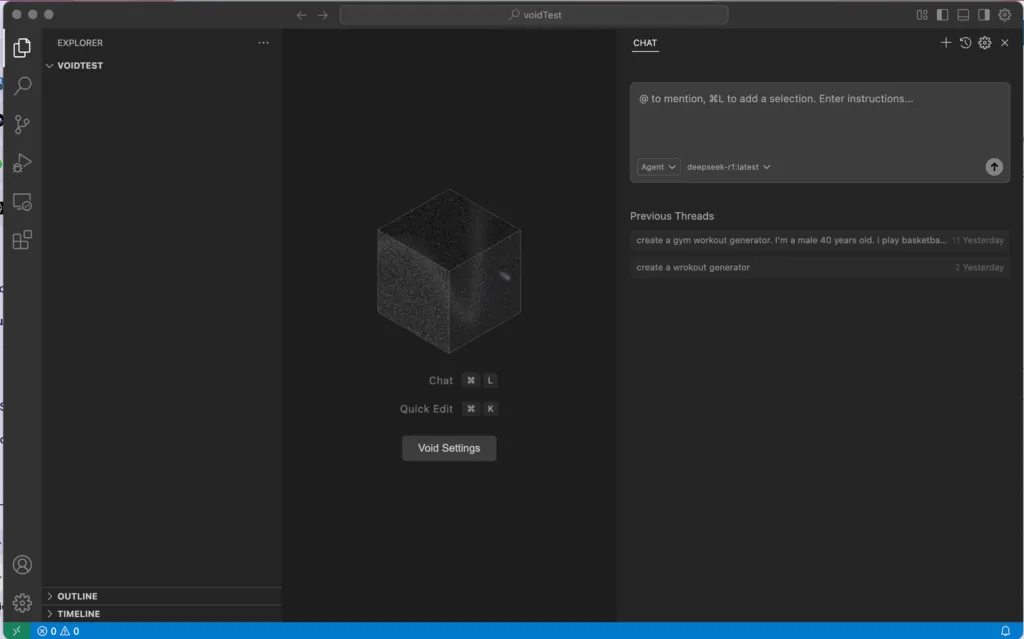
Void takes the opposite approach, embracing a “bring your own model” philosophy. Want to use Claude? Go for it. Prefer Gemini? No problem. Running a local Llama model because you’re working on sensitive code? Void supports that too.
I tested Void with five different models, including running Mistral locally on my machine for offline work. The flexibility is genuinely impressive and removes a significant point of friction for teams with specific compliance requirements.
Performance: Speed vs. Stability
Here’s where things get interesting. Cursor has been around longer and it shows in the polished performance. The editor rarely crashes, handles large files admirably, and the AI responses come quickly and consistently.
Void, being the newer contender, occasionally shows its youth. During my testing, I encountered a few crashes when dealing with particularly complex projects. However, these issues were infrequent, and the development team’s response to reported bugs has been impressively quick.
Where Void unexpectedly shines is in how efficiently it handles local models. If you’re running something like CodeLlama locally, Void’s integration feels more native and responsive than Cursor’s somewhat bolted-on approach to alternative models.
Feature Set: The Devil’s in the Details
Both editors offer the core AI features you’d expect: code completion, explanation, refactoring, and chat-based assistance. But the implementation details reveal significant philosophical differences.
Cursor feels designed primarily around chat interactions. You ask, it answers. This works well for exploration and learning, but can sometimes feel disconnected from the actual coding flow.
Void takes a more integrated approach. Its tab autocomplete feels more natural within the coding process, and the inline editing capabilities create a seamless experience that respects the developer’s workflow rather than interrupting it.
I particularly appreciate Void’s intelligent search and comprehensive file indexing, which gives the AI a more complete understanding of your codebase. This results in suggestions that feel contextually aware in a way that Cursor’s sometimes don’t.
Community and Ecosystem
The open-source nature of Void has fostered a vibrant community. Extensions, custom themes, and integrations are rapidly expanding. The GitHub discussions are active, with developers collaborating on new features and sharing configurations.
Cursor has a larger user base currently, but the community feels more like consumers than collaborators. Feature requests disappear into a black box, and the roadmap seems dictated by internal priorities rather than user needs.
This distinction matters enormously for longevity. Void feels like it belongs to its users in a way Cursor simply doesn’t.
Pricing: Free vs. Freemium
Void is completely free. Full stop. You can download it, use it, modify it, and even contribute back to it without spending a cent. Your only costs are whatever API fees your chosen AI model might charge.
Cursor offers a freemium model with increasingly restrictive limitations unless you upgrade to their Pro tier ($20/month as of this writing). Free users face limits on AI interactions and feature access that become frustrating quickly for daily users.
In an industry where developer tools are increasingly adopting subscription models, Void’s commitment to remaining free and open source is refreshing and significant.
The Verdict: Which One Wins in 2025?
After a month of intensive use, here’s my honest assessment:
For enterprise teams with compliance requirements: Void wins easily. The ability to self-host and use local models while maintaining full visibility into the codebase makes it the only viable option for many regulated industries.
For independent developers and startups: It’s closer, but Void still edges out. The financial savings alone make a compelling case, but the rapidly improving feature set and community-driven roadmap give it the advantage for future-proofing your workflow.
For casual AI assistance: Cursor might be the easier on-ramp if you just want to dip your toes in AI-assisted coding without changing your existing workflow too dramatically.
The gap is narrowing every week as Void matures, but the fundamental philosophical differences between these tools will likely keep them on separate paths. Cursor’s closed ecosystem provides polish but at the cost of transparency and flexibility. Void’s open approach delivers unprecedented freedom but occasionally sacrifices some refinement.
Personally, I’ve deleted Cursor and fully switched to Void. The privacy benefits, model flexibility, and community-driven development align better with my values as a developer. Plus, watching the rapid pace of improvement has convinced me that any current rough edges will be smoothed out quickly.
Your mileage may vary, but in 2025, betting against open source in developer tools seems increasingly risky. The future belongs to those who share it.